





- Read/Write Speed: 600X
- MTBF: 1200000 hours
- 4KB Random Write: 400
- 4KB Random Read: 500
- Max Sequential Write: 500
- Max Sequential Read: 560
- Transport Protocol: AHCI
- Bus Type: SATA III
- Cache: NONE
- RGB: no
- Cooling Fin: No
- Package: Yes
- Nand Flash Type: TLC
- Controller: SMI/marvell/Phison/YeeStar
- Size: 2.5"
- Interface Type: SATA,SATAII,SATAIII
- Application: Desktop,Laptop,Industrial Computer
- Style: SSD
- Origin: Mainland China
- Certification: CE,FCC,RoHS
- Type: Internal
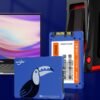
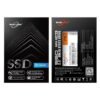
WALRAM SSD 1TB SATA3 2.5 Inch SSD 512gb 120GB 128GB 240GB 256GB 500GB 480GB SSD For Laptop Desktop PC Internal Solid State Drive
Features and specifications:
※ High-quality TLC flash, combined with industry- leading high-quality controller.
※ 7mm plastic case, easy to install in desktop laptop computers.
※ Suitable for desktops,notebooks, mini computers, all-in-ones, and other commercial PC
※ The shock-proof, durable, and extremely reliable SSD represents the absolute best quality in the field.
※ Read Speed (MAX): 550 MB/s; Write Speed (MAX): 500 MB/s.
※ 3-year limited warranty.
※ Over Voltage Protection 19V
Notice:
1, Our test result is base on sataIII interface,sataIII sata cable,desktop and SSD empty status , different computer and software (include software version), the result may different .
2, Difference between SATA I, SATA II and SATA III
SATA I(revision 1.x) interface, formally known asSATA 1.5Gb/s, is the first generation SATA interface running at 1.5 Gb/s. Max speed 150MB/s.
SATA II(revision 2.x) interface, formally known asSATA 3Gb/s, is a second generation SATA interface running at 3.0 Gb/s. Max speed 300MB/s.
SATA III(revision 3.x) interface, formally known asSATA 6Gb/s, is a third generation SATA interface running at 6.0Gb/s. Max speed 600MB/s. This interface is backwards compatible with SATA 3 Gb/s interface.
If sata3.0 SSD tested speed on sata2.0 interface and sata cable the result will beinaccurate.
3,According to the international stander 1000KB=1MB ,thereal capacity =Capacity x 0.93, please notice that .
Before you use it please right click "My computer-Management-Device manager-disc drive"and can find our SSD. Please do the format and partition .


Reviews
There are no reviews yet.